Gravity Forms Form Object is the information generated and stored relating to a specific form when it is created.
1. Basic properties
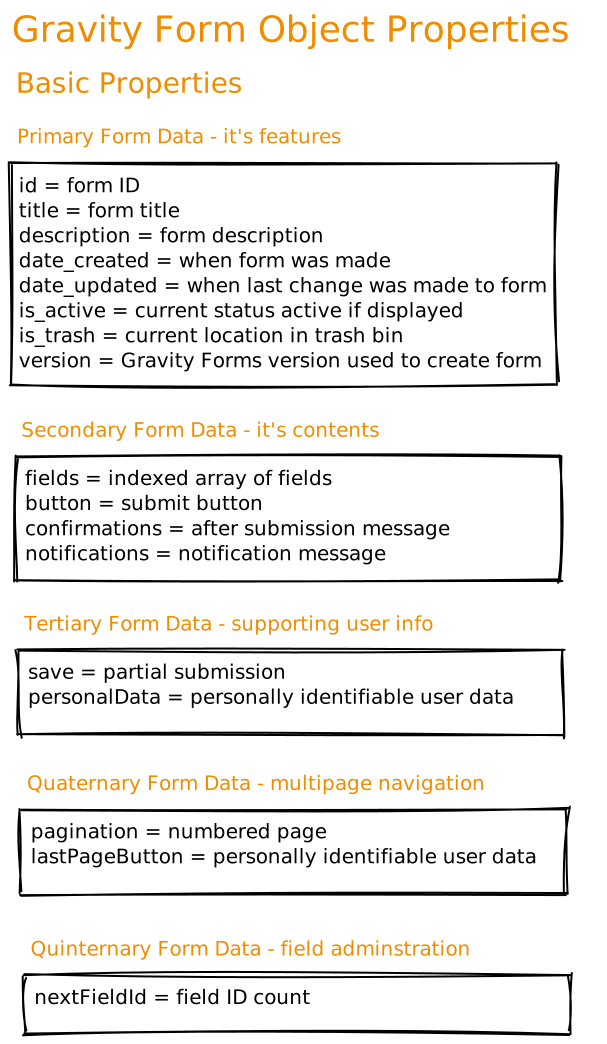
These are the fundamental properties of every Gravity Form.
Features – the shell
- How to identify the form
- When it was made or updated
- Where it is or its status
- What version of Gravity Forms it was made with
Content – what’s in it
- Input fields
- Submit button
- Notifications
- Confirmations
Supporting user info – who used it
- Personal user data
- *Saved partial submission
*Multipage pagination – which page of the form
- Page number
- Last page button
Field admin – counting the fields
- Field ID number
2. Form Layout
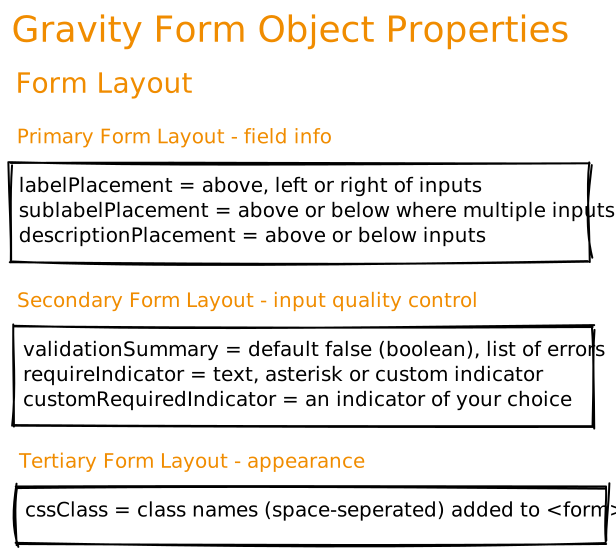
This is data related to the layout of each Gravity Form
Field info
- Label placement
- Sub-label placement
- Description placement
Input quality control
- Validation summary
- Require indicator
- Custom required indicator
Appearance
- CSS classes
3. Save & Continue
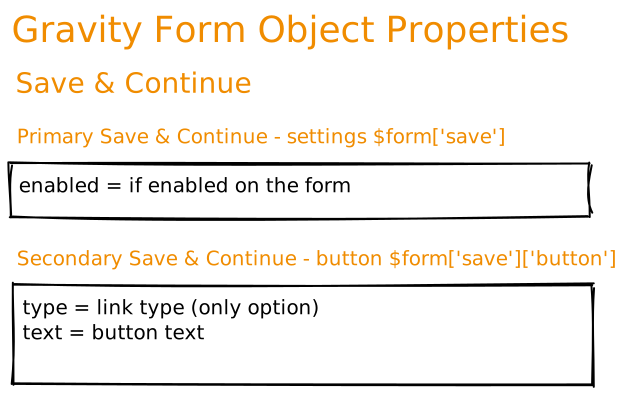
Partial entry data saved, to be continued afterwards
Settings $form[‘save’]
- If enabled on form, ‘yes’ or ‘no’
Button $form[‘save’][‘button’]
- type i.e. link (the only option)
- button text
4. Restrictions
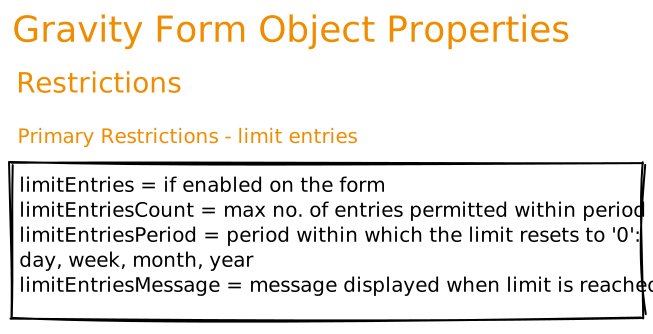
Place limits on the entries saved
Limit entries
- If enabled on form, ‘yes’ or ‘no’
- what the max entries number is
- period within which the max entries number resets to ‘0’
- message when limit is reached
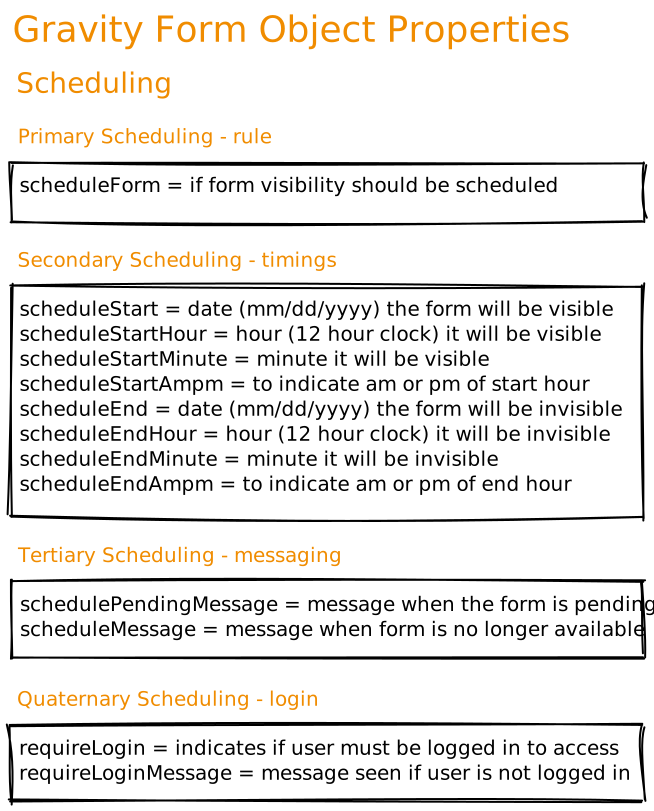
5. Scheduling
Place restrictions on when the form will be visible
Rule
- if enabled
Timings
- Start/End
- hour
- minute
- am/pm
Messaging
- pending
- not available
Login
- required?
- message when not logged in
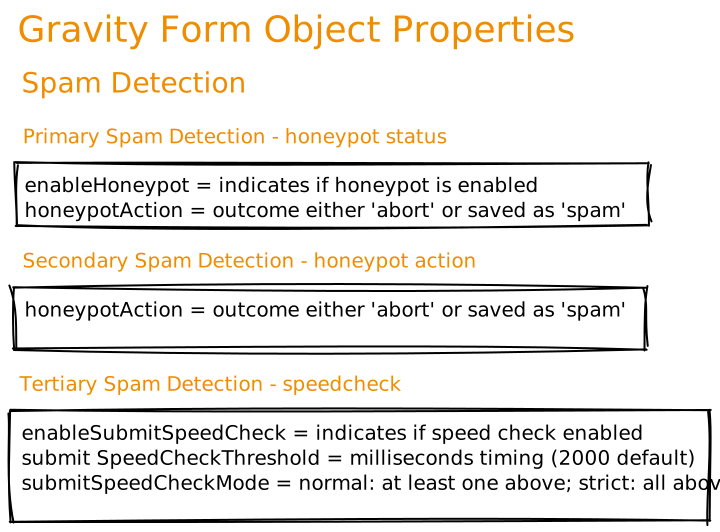
6. Spam Detection
Block spam bots from attacking your form entries
Honeypot status
- if enabled
- outcome = abort, or saved as spam?
Speedcheck
- enabled?
- timing
- normal or strict
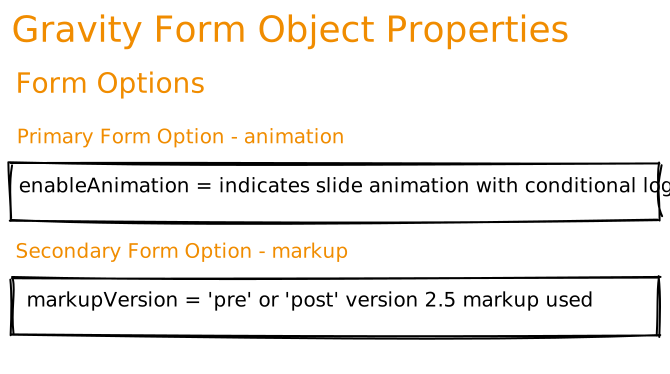
7. Form options
How the form presents…
Animation
- if enabled = slide
Markup
- post or pre version 2.5
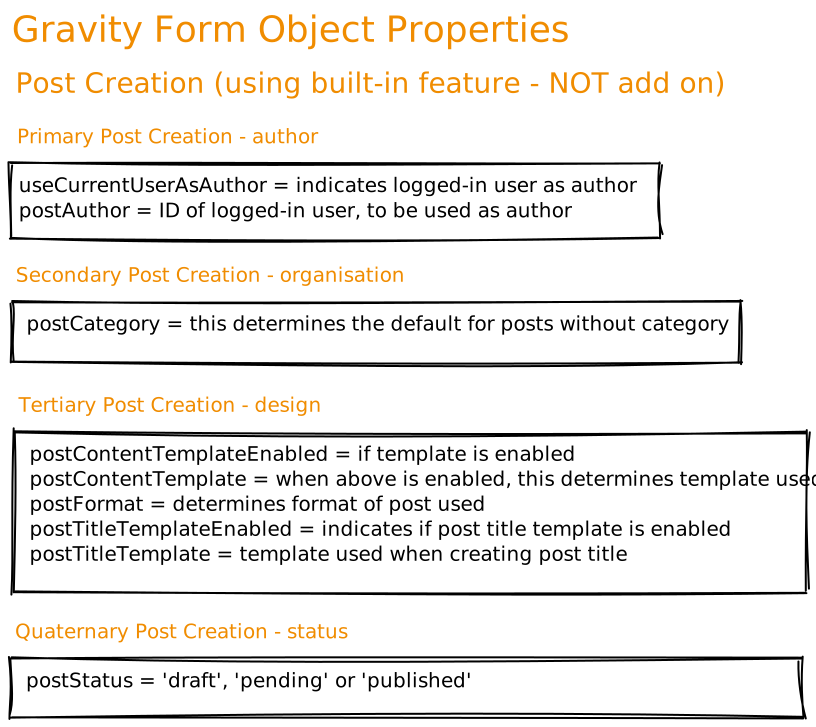
8. Post Creation
Create blog posts from Gravity Forms Entries
Author
- logged in as author?
- if logged in, the author ID
Organisation
- default post category
Design
- if template is enabled
- template used
- post format
- if post title template enabled
- post title template used
Status
- pending
- draft
- published
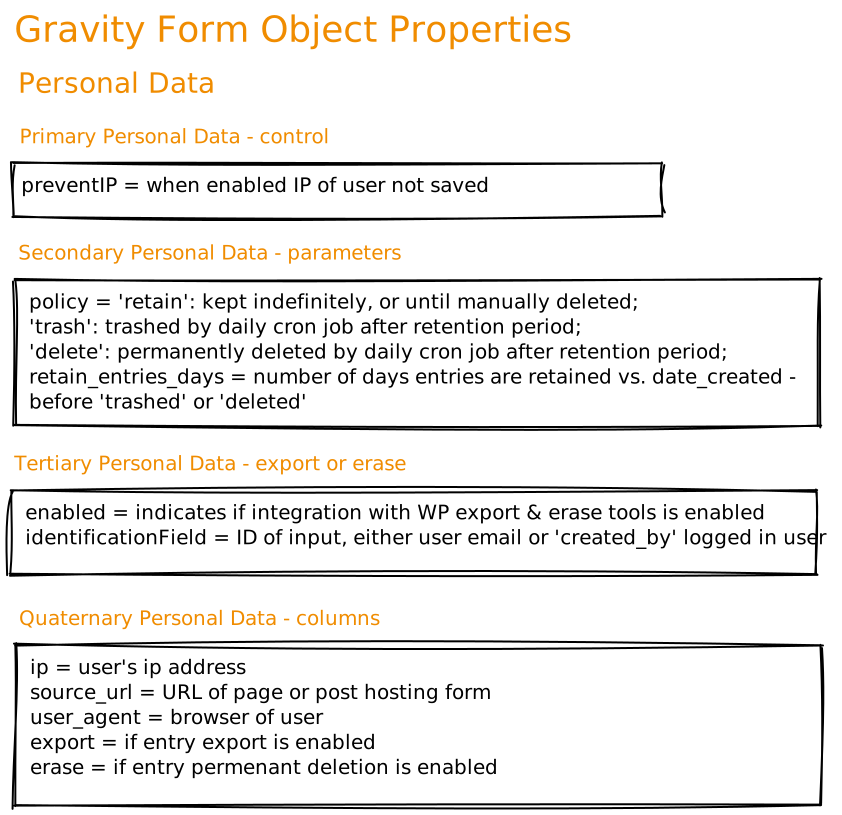
9. Personal Data
Set personal data management rules in Gravity Forms
Control
- if enabled, IP address of user not saved
Parameters
- policy
- retain indefinitely (until deleted)
- trash (daily cron job, AFTER retention period)
- delete (permanently deleted AFTER retention period
- retention period
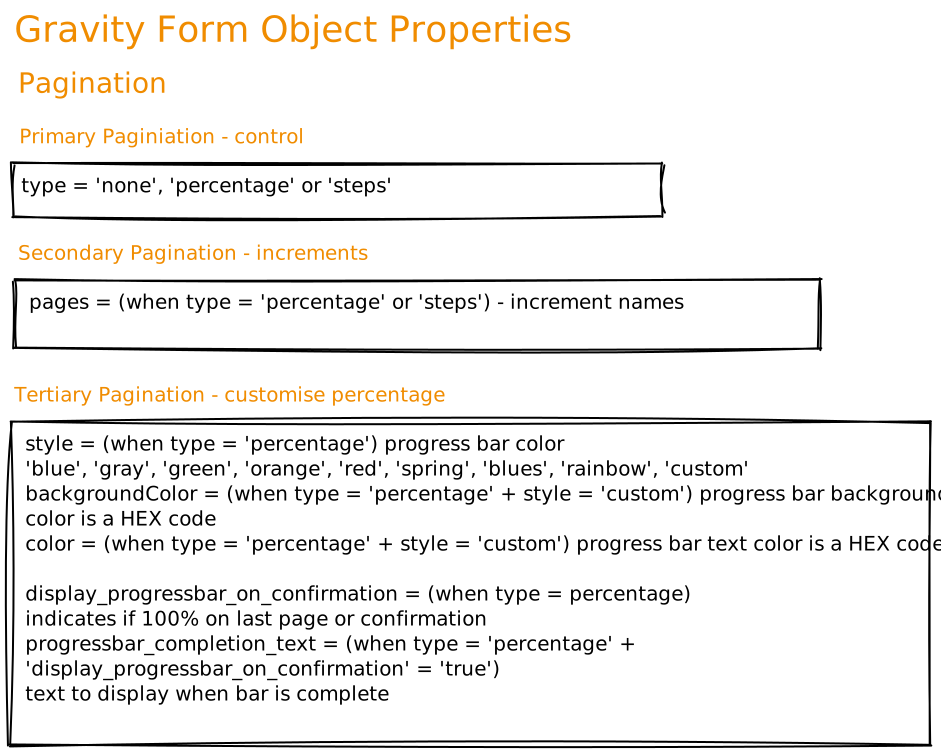
10. Pagination
Links controlling the progression through pages comprising a form
Control
- if enabled, IP address of user not saved
Increments
- percentage or steps
Customise (percentage only)
- Style
- blue
- grey
- green
- orange
- red
- spring
- blues
- rainbow
- custom
- background color
- color
- if to display progress bar on last page / confirmation
- progress bar completion text
 Editorial Staff.