Is it possible to connect a Gravity Forms with AWeber? Yes! Use this integration today and turn future WordPress form entries into AWeber subscribers with Gravity Forms.

Why is growing an email list important?
According to this case study by AWeber on Brian Dean (founder of Exploding Topics and long-time AWeber user):
Your email list is one of your most valuable business assets.
Why?
- It’s a list of people who permit you to tell them more about your products and services
- 81% of email users check their personal email daily.
It’s a very rare opportunity to position yourself and your brand as an exclusive channel to solve your customers’ problems.
Why integrate Gravity Forms and AWeber?
AWeber already offers data capture forms which can be embedded in your WordPress website, but they are very limited compared with Gravity Forms.
- Using Gravity Forms, you have much more control over the type of data you capture than with any other WordPress form plugin.
- With this integration, ANY Gravity Form entry can result in a new AWeber email subscriber:
- Contact form
- Purchases
- Comments
- Downloads
- Bookings
…and many, many more.
How to integrate Gravity Forms with AWeber
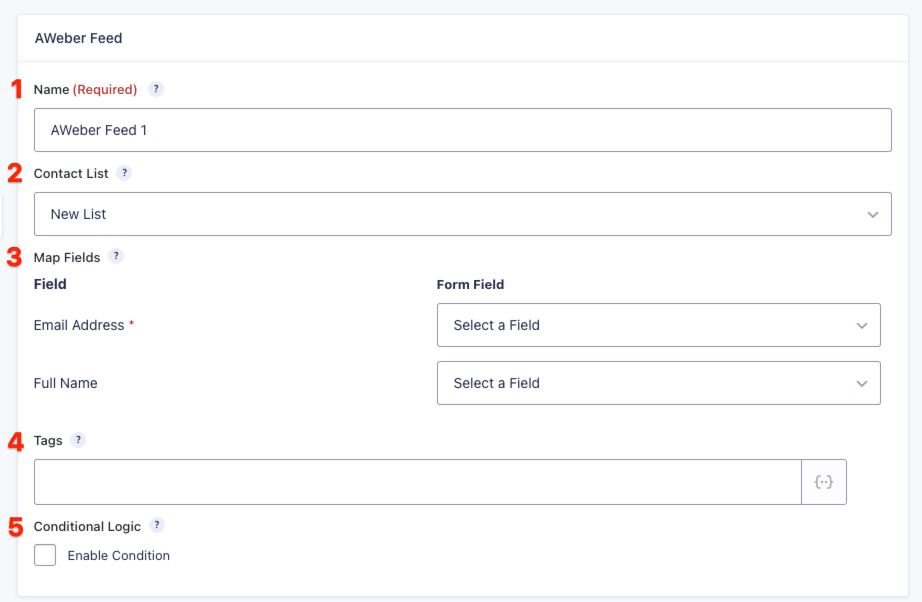
[Image Source: Gravity Forms Developer Guide]
Step 1. Get your licenses
Gravity Forms and AWeber licenses give you access and privileges to unlock the full potential of both platforms together.

Gravity Forms License
The integration is available with any of the 4 Gravity Forms license tiers: Basic, Pro, Elite, Non-Profit.

AWeber License
This integration is available with any of the 3 AWeber plans: Lite, Plus & Done For You.
Step 2. Get the add-on
This next step gets you the integration add-on that seamlessly connects Gravity Forms with AWeber and will feed every form submission into your email list, automatically.

Step 3. Create a Gravity Form
If you haven’t already done this, the guide below is all you need to know to help you create a Gravity Form for collecting user data.

Step 4. Set up & manage your AWeber subscriber lists
If you haven’t got your lists set up yet on AWeber, this resource will help you manage your subscribers for maximum campaign impact.

Step 5. Create your integration feed
This next step gets you the integration add-on that seamlessly connects Gravity Forms with AWeber and will feed every form submission into your email list, automatically.
Read the docs version
Watch the video version
Bonus steps:
Integrate your AWeber/Gravity Forms feed with Gravity Flow for smarter business automation
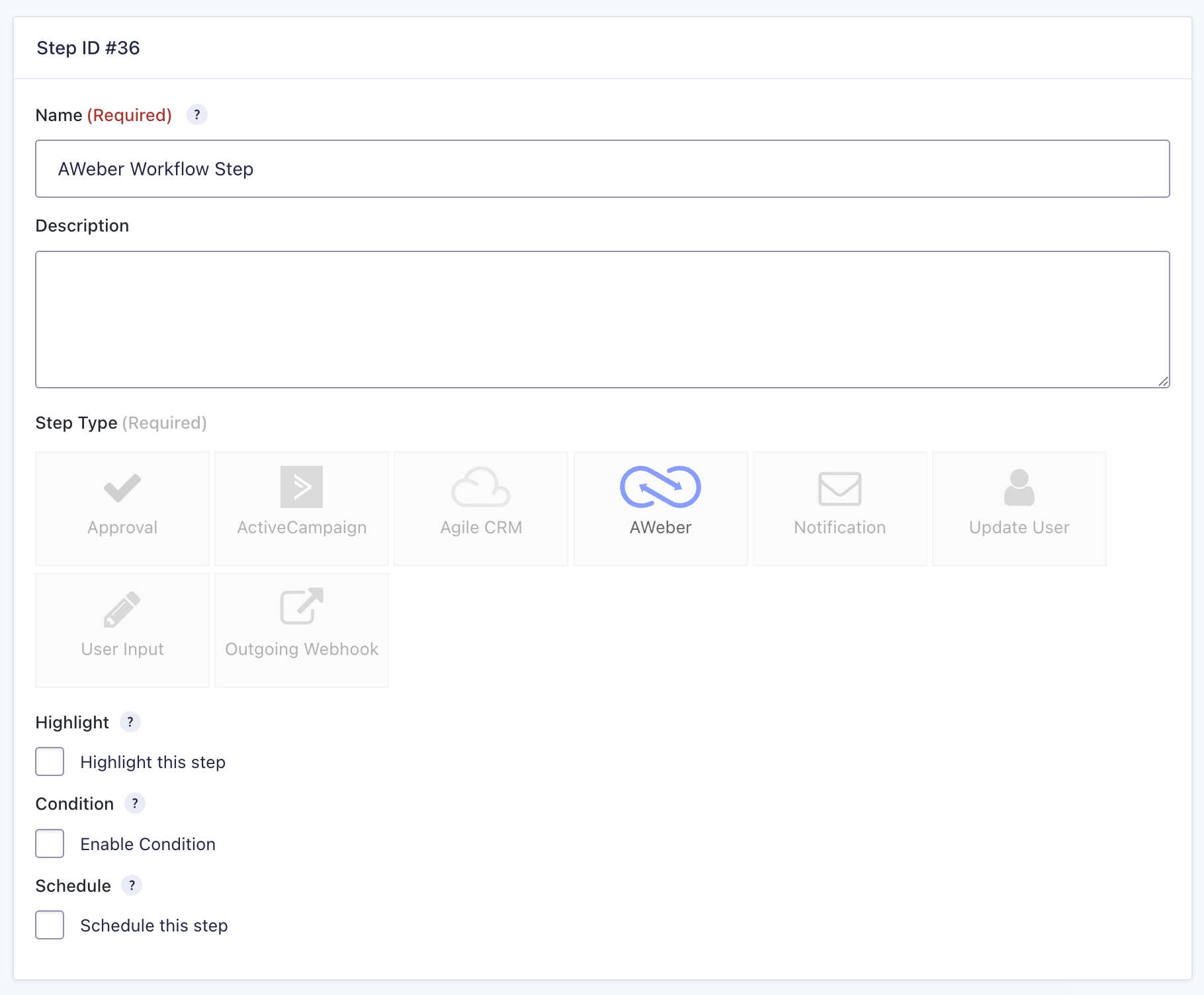
Gravity Flow is the solution that helps you build business process automations with Gravity Forms. The Gravity Forms AWeber integration hooks into Gravity Flow, bringing your AWeber feed into your business automations:
Get smart with AWeber/Gravity Forms add-on hooks & filters
Isolate and control facets of the AWeber feed data from Gravity Forms for a more nuanced integration.
Filters
Modify the Gravity Forms feed properties before they are passed to AWeber
Modify the Gravity Forms ad tracking parameter before it gets passed to AWeber
Modify the Gravity Forms submission parameters before they are sent to AWeber
Modify a Gravity Forms field value before it is sent to AWeber
Hooks
Perform actions in WordPress after a subscriber has been successfully added to your AWeber email list
Community Tips and Troubleshooting
Here are some simple tips to try to improve your experience or solve problems if things go wrong with your Gravity Forms to AWeber integration add-on:
Update the AWeber tags when a subscriber performs an action

Integration stopped working? Make sure you update your version of the add-on
Need help with your Gravity Forms AWeber integration?
We offer a Gravity Forms done-for-you and consulting service – find out more.
Also, we recommend using any of these top Gravity Forms developers in our recommended list.
 Editorial Staff.